Services - Custom applications
Internal tools & process automation
Business process automation rarely starts with software - it starts with manual work that costs too much time and causes too many errors. We build internal tools that take that work over: simple at the front, the complexity solved behind the scenes.
Open about our stack
Laravel Vue.js React Node.js TypeScript PostgreSQL
Sound familiar? An order arrives by email, someone retypes it into a spreadsheet, a colleague approves it by phone, and at the end of the week someone enters everything into the accounting system by hand. Every handover is a chance for errors - and nobody sees where work gets stuck.
A custom internal tool turns that into a single workflow: the process starts, flows and is demonstrably completed in one place. It is one of the forms of custom applications we build - software that adapts to how your team works, not the other way around.
- Workflows for tasks that now run through email and spreadsheets
- Invoices and documents generated automatically from process data
- Integrations with your accounting, planning or ERP systems
- Roles and permissions that match who may do what
- Insight into where work sits and what needs attention
- The same team for further development after launch
Business process automation in practice
At Van Amerongen, after eight years of collaboration, office staff and field engineers work in one digital workflow spread across three applications: stock levels are visible in real time per branch, and invoices are generated automatically from field work. No more retyping at the end of the week - the paperwork has become a by-product of the work itself.
Automation is not about locking everything down. At Taskmaster - four years of continuous product development - teams now build and improve their own workflows, and adjust course before things go wrong. A good internal tool gives people a grip on their process instead of taking it away.
And automation doesn’t stop at the walls of your organisation. When an internal tool grows into something your customers or suppliers work in too, it becomes a web application or client portal. And almost every tool talks to systems you already have; for that we build API integrations with proper error handling and monitoring, so data flows automatically instead of being retyped.
How we approach automation
week 1-2
Discovery sprint
We work alongside your people, map the process - including the exceptions - and build a clickable prototype. You leave with an honest go/no-go recommendation and a budget.
after that
The most error-prone step first
We start by automating the step that causes the most errors or manual work today. Your team notices the difference from the first release, while the rest of the process keeps running as usual.
step by step
Growing with real use
What the team does in practice determines what gets added. Every extension is a contained, budget-controlled step - no big bang where everything has to switch over at once.
ongoing
Further development & maintenance
After launch the same team stays on board: monitoring, maintenance and adjustments whenever the process changes. That way the tool keeps fitting the work.
In practice
 Web applications
Taskmaster
Teams now build and improve their own workflows and intervene before things go wrong - instead of chasing problems after the fact.
 Data & integrations
Soli Infratechnik GmbH
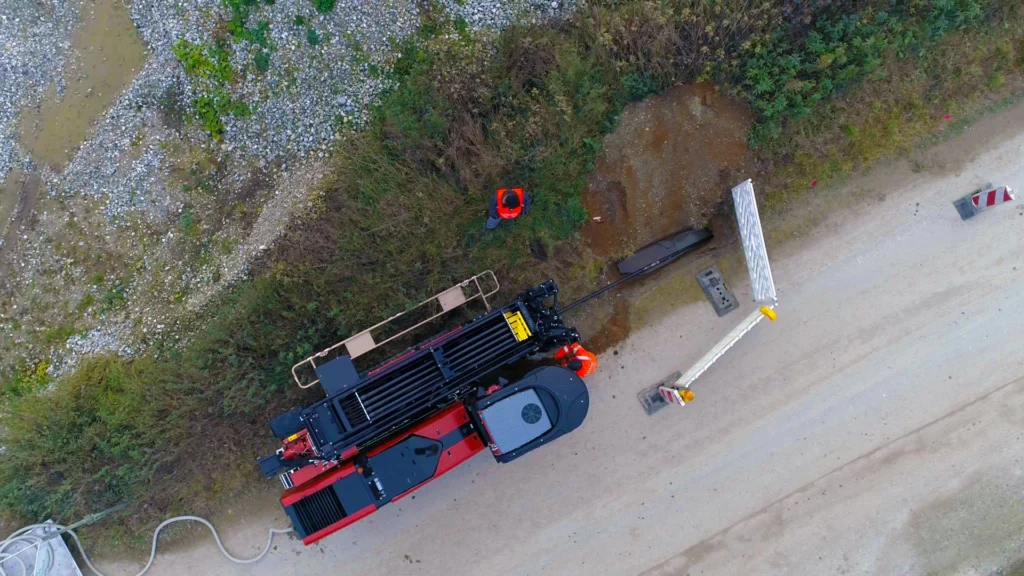
One digital workflow for hundreds of field engineers and subcontractors across Germany - developed continuously for ten years, from first version to business-critical platform.
For five years we built and evolved one reliable planning platform for Metics that replaced dozens of Excel sheets: balance, forecasts and scenarios in one place, traceable and without manual formulas. Exactly the kind of manual work that lends itself to automation - and exactly the kind of collaboration that grows out of it.
Frequently asked questions
What you want to know before you start.
Why not just stay in Excel or a low-code tool?
Sometimes that is the honest answer: for a small process with few users, you don’t need to have anything built. But Excel gets risky as soon as several people work in the same file - it’s no coincidence that 90% of spreadsheets contain errors. And low-code tends to break down on exceptions and integrations. In the first conversation we’ll tell you honestly where that line is for your situation.
What does automating a business process cost?
That depends on the process and the number of integrations, and we define that scope together first. The discovery sprint has a fixed two-week timeline and ends with an honest go/no-go recommendation and a budget. After that we build in small, budget-controlled steps: after each one, you decide whether and how we continue.
How long before we have something working?
The discovery sprint delivers a clickable prototype in two weeks. After that we build in short iterations, automating the most error-prone part of the process first - so your team is already working with the tool while the rest follows step by step, instead of waiting months for one big delivery.
How do you make sure the team actually uses the tool?
By involving the team from week one: we work alongside your people, build on the way of working that already exists, and have users test the prototype before anything goes live. A tool that removes work instead of adding another system doesn’t need an adoption campaign - at Taskmaster, teams now build their own workflows.
Can an internal tool integrate with our existing systems?
Yes - that is almost always the heart of the work. Accounting, planning, ERP or point of sale: we integrate through APIs where they exist, with proper error handling and monitoring. At Van Amerongen, a dedicated API connects the office and the field, so stock levels stay accurate in real time and invoices are generated automatically from field work.
How do you prevent the tool from drifting away from the real process?
By building the real process, not the ideal one - including the exceptions that never make it into a manual. We automate step by step, so the tool and the way of working evolve together. If usage shows something runs differently than expected, we adapt the tool; the team never has to bend to the software.
Not sure which process to automate first? Jasper Kums, partner at eenvoud, is happy to think along with you - even if the answer is “start small”. Or start with a discovery sprint: from challenge to clickable prototype in two weeks.